Sponsored: this article is part of a paid Bluehost content campaign, and we may also earn a commission if you buy a Bluehost plan through our links. We built the sample site ourselves on the free plan; Bluehost did not write or edit this article.
Short answer: A virtual assistant portfolio needs your niche, services, tools, working hours in the client’s time zone, a few samples and a way to book a call. Bluehost lists AI Builder Free as “$0 to start, no credit card”; it publishes on a Bluehost subdomain. Your own domain needs a paid plan (“paid plans from $20/mo”).
What clients look for in a virtual assistant portfolio
A portfolio link complements your marketplace profile. It helps most with direct clients and on LinkedIn, where you control the page and the first impression. A good virtual assistant portfolio website answers a client’s first questions on one page. These are the parts we recommend:
- One line on your niche and who you help. “Back office support for US real estate agents” says more than “experienced VA”.
- Services in the client’s words. Write “scheduling showings” and “CRM updates”, not “administrative excellence”.
- Tools you already use. Name the software and say in one line what you do with it.
- Working hours in the client’s time zone. A client in New York should not have to convert Manila time in their head.
- Two or three work samples. Anonymise them if you work under an NDA: describe the situation, what you did and the result.
- Starting packages or rates, if you are comfortable showing them. Check the market first with our virtual assistant salary guide for the Philippines.
- How to book a call. A short form with a preferred date and time is enough.
- Your reply time. Say how quickly you answer messages.
What we built and why
We are the Trabaho Online editorial team, and we built the sample ourselves. On 17 November 2026 we used Bluehost AI Builder on the Free plan to make a one-page portfolio for a virtual assistant in the Philippines who supports US real estate agents. If you work in that niche, our guide to the real estate virtual assistant path covers the work in more detail.
Every screenshot below comes from that build. We did not publish the site. The point was to see what the tool produces from one paragraph, what you must still fix, and what it costs in credits.
Step 1: Describe the site in one paragraph
The builder opens with a “What do you want to build?” box. Our free account showed “5 credits left” at this point.
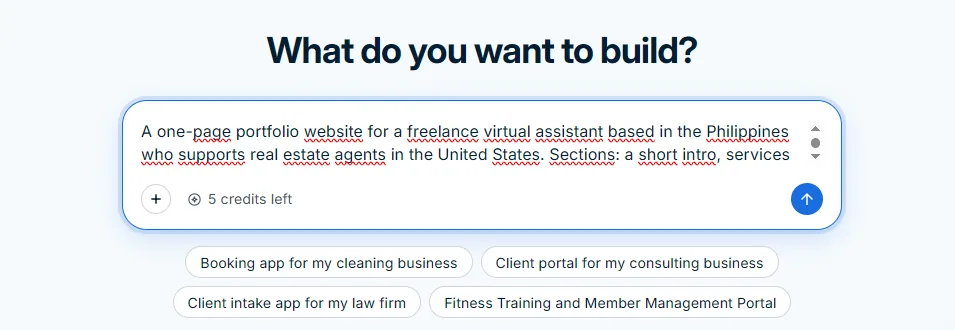
This is the prompt we used, word for word:
A one-page portfolio website for a freelance virtual assistant based in the Philippines who supports real estate agents in the United States. Sections: a short intro, services (listing management, CRM updates, scheduling showings, social media posts for new listings, transaction coordination support), tools used (Follow Up Boss, Canva, Google Workspace, Calendly), working hours that overlap with US Eastern and Pacific time, three sample tasks, monthly packages in USD (part-time and full-time), and a form to book a free 15-minute discovery call.
Our tip: name the sections, tools, time zones and currency up front. Each later change costs a credit, so a detailed first prompt saves credits.
Step 2: Let it build
This time the builder did not ask us multiple-choice questions. It went straight to a build checklist.
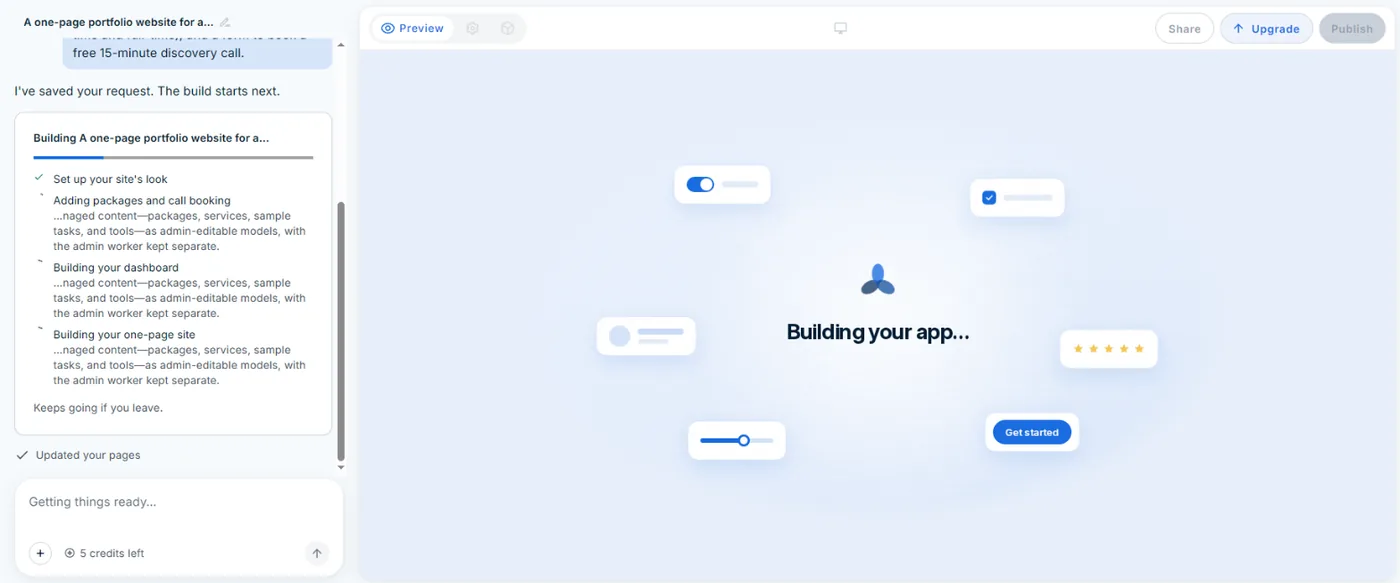
The first version was ready in about four minutes. The first build used 1 credit: the counter went from 5 to 4.
Step 3: Check the first version line by line
Do not judge the first version by how it looks. Read it like a client would.
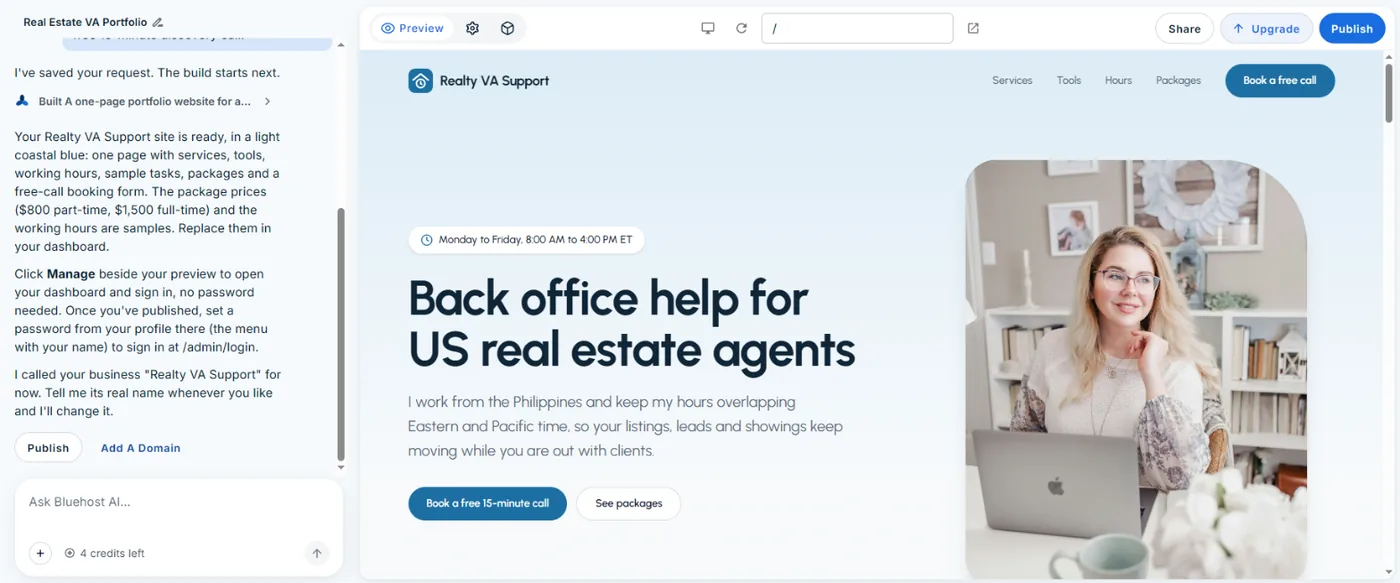
What it got right. All the sections we asked for were there: hero, intro, services, tools, working hours, sample tasks, packages and a booking form. The services were described in real estate terms. The working-hours strip showed Monday to Friday, 8:00 AM to 4:00 PM ET, with 9:00 PM to 5:00 AM in Manila and 5:00 AM to 1:00 PM PT. Those conversions are correct.
What it filled in by itself.
- The business name “Realty VA Support”.
- Package prices of $800 a month for 20 hours a week (part-time) and $1,500 a month for 40 hours a week (full-time). The builder said these were samples to replace.
- Sample task results, each ending with “(Sample)”.
- A stock photo of a woman at a laptop. It is not you.
- A placeholder email, hello@realtyvasupport.example.com, and a placeholder phone number, (555) 010-0142, in the footer.
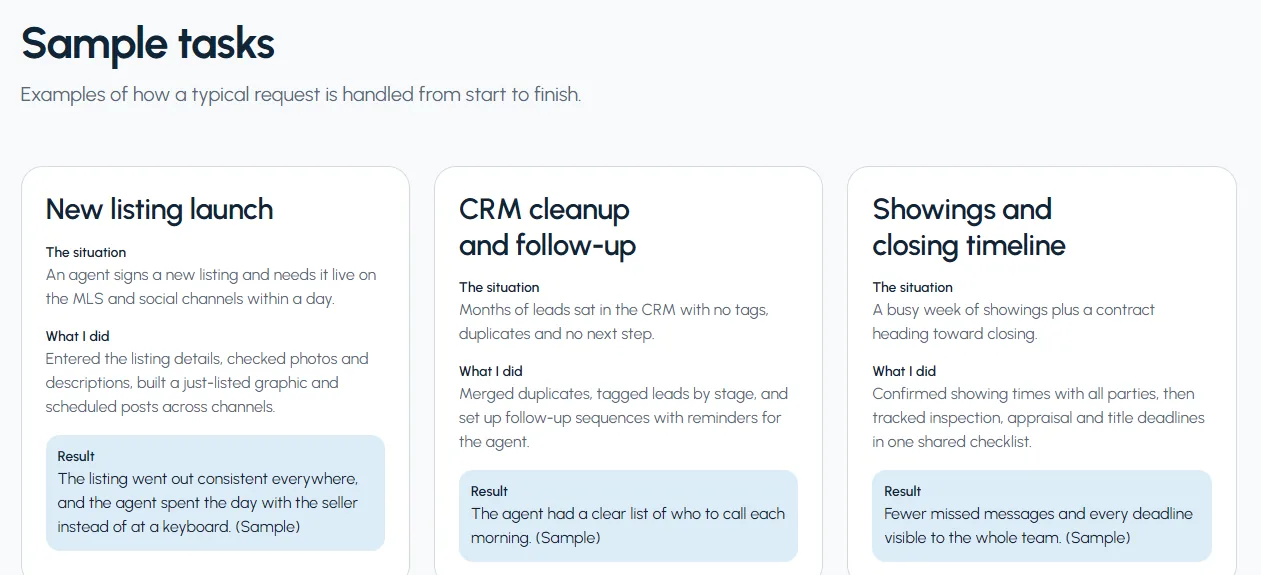
The sample tasks are the part to watch. They read well, but they describe work nobody did. Never leave them on a live page.
Step 4: Change it by chatting
The chat on the left is how you edit. We asked for this, word for word:
Change my working hours to 10:00 AM to 6:00 PM Eastern so West Coast agents get more overlap, and update the Manila and Pacific times to match.
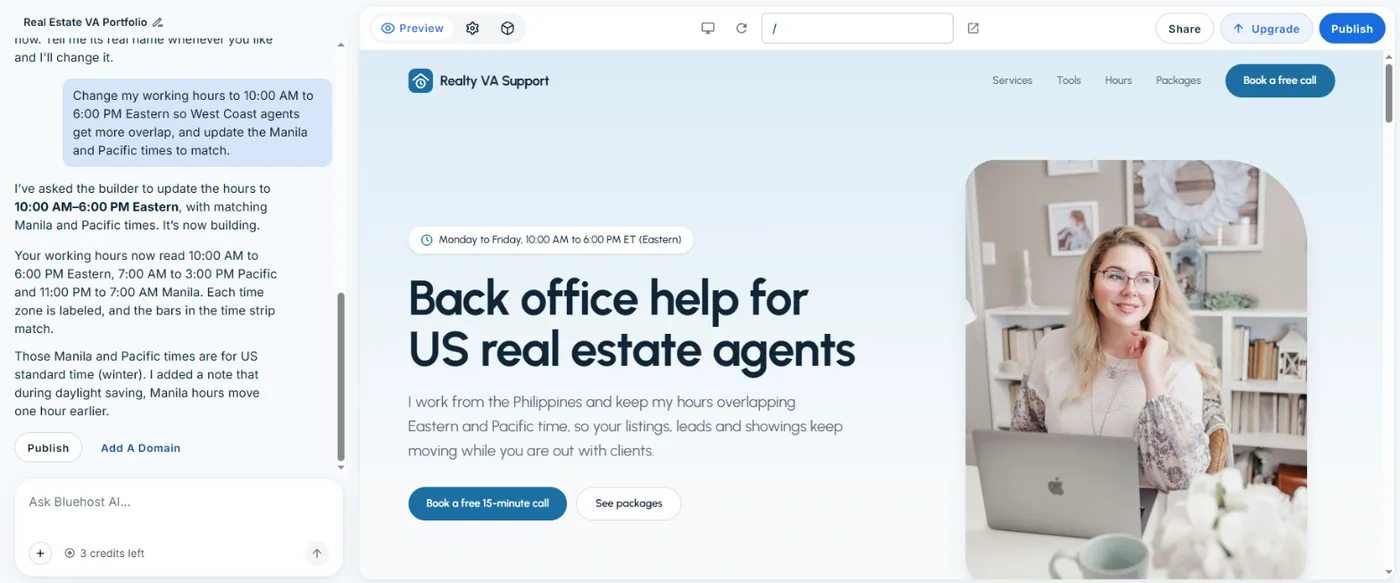
It updated the hero badge and the time strip. Pacific became 7:00 AM to 3:00 PM and Manila became 11:00 PM to 7:00 AM. It also added a note that during US daylight saving time the Manila hours shift one hour earlier, to 10:00 PM to 6:00 AM PHT.
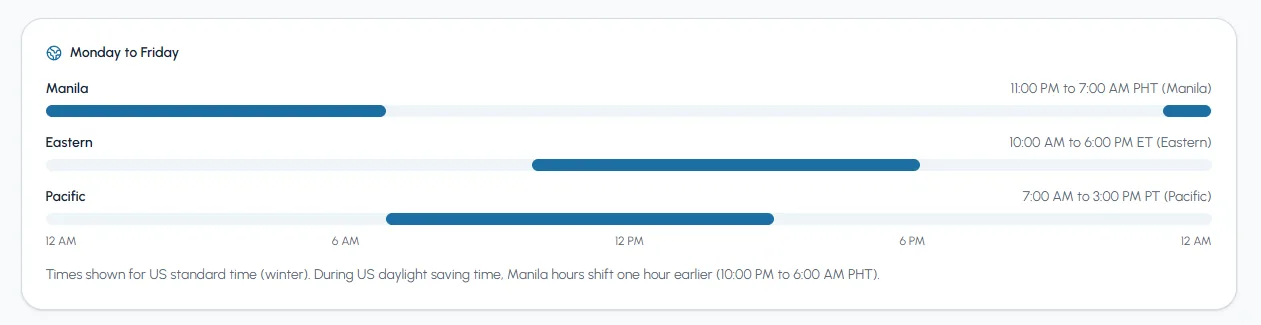
We checked the conversions ourselves, because Bluehost’s chat window warns “Bluehost AI can make mistakes. Double-check replies.” Manila is UTC+8 and has no daylight saving. US Eastern is UTC-5 in winter and UTC-4 in summer. So the times are right. The change used 1 credit, and the counter went from 4 to 3.
Free vs paid plans
This is what Bluehost lists for AI Builder:
| Plan | Price | Credits | Web address |
|---|---|---|---|
| Free | $0, no credit card required | 5 a day, up to 30 a month | Bluehost subdomain |
| Lite | $20.00/mo, billed monthly | Up to 100 a month, no daily limit | Your own domain |
| Standard | $40.00/mo, billed monthly | 200 a month | Your own domain |
Prices and limits from Bluehost’s AI Builder page, checked on 17 November 2026.
Monthly credits and top-ups expire after 30 days. Running out of credits only pauses new changes; the live site stays online. Hosting is included and never uses credits. Bluehost also lists 24/7 human support on every plan, including Free. In Bluehost’s own words the entry point is “$0 to start, no credit card”, and “paid plans from $20/mo” is where a custom domain begins.
Paid plans are charged in US dollars. Check what your bank or card charges for a USD payment before you upgrade.
Before you send the link to a client
Treat the generated site as a draft. Go through this list first:
- Replace the business name, or use your own.
- Swap the stock photo for your own photo, or remove it.
- Replace the sample tasks with real, anonymised work.
- Set your real packages after checking rates.
- Replace the placeholder email and phone number.
- Confirm the working hours in the client’s time zone.
- Test the booking form.
- Only then publish.
One more caution: read the platform’s terms before you put a website link in proposals or messages; platforms limit how you share contact details and take work off the platform.
Is it worth it for you?
Use the Free plan if you need a link this week and have no domain. It costs nothing to start and gives you a live page you can edit by chatting. Try Bluehost AI Builder freeAd (paid link). You can build, read, fix and decide before spending anything.
Upgrade to Lite only when you have a domain and you send the link to direct clients regularly. A web address you own looks more settled than a subdomain on a client’s screen.
Skip a separate site if all your work comes from one marketplace and your profile there already shows samples. A second page you never send to anyone adds nothing.
Related reading
- Virtual assistant salary in the Philippines: check market rates before you set packages.
- Real estate virtual assistant in the Philippines: the niche we used for this build.
- How clients hire and pay a VA in the Philippines